How DNS Resolution Works

I’m a Computer Science student learning web development by building real projects and writing about what I learn along the way. I enjoy breaking down core web concepts like HTML, CSS, networking, and browser internals in a simple, beginner-friendly way. Currently exploring frontend development, backend basics, and how the web works behind the scenes. I believe consistency beats perfection, and learning gets easier when you explain things in your own words.
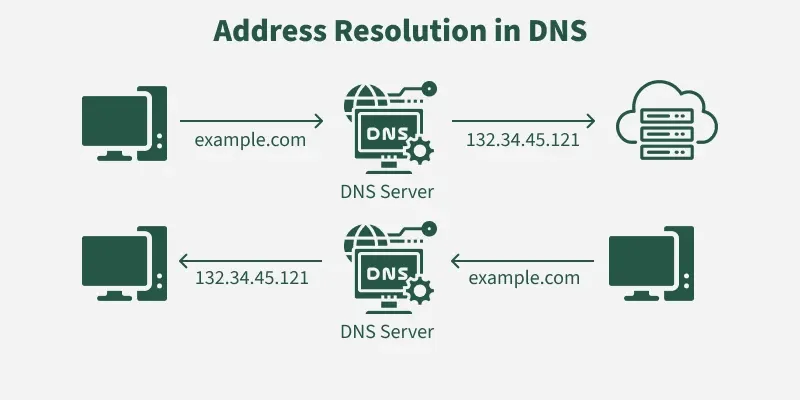
When you open your browser and type google.com, the internet somehow knows where Google’s servers are located and loads the website in seconds. But computers don’t actually understand names like google.com they understand IP addresses such as 142.250.183.14.
So how does the internet translate names into IP addresses?
This process is called DNS resolution.
Let’s understand it step-by-step like a simple story.
1. What is DNS and why name resolution exists?
DNS (Domain Name System) is often called the internet’s phonebook.
Real-life example
Imagine you want to call your friend.
You don’t remember their phone number, so you search their name in your phone contacts. The phone then finds the number automatically.
Similarly:
Humans type google.com
Computers need the IP address
DNS translates the name into the IP address
This translation process is called name resolution.
2. What is the dig command?
The dig (Domain Information Groper) command is a diagnostic tool used by developers and network engineers to check how DNS resolution works behind the scenes.
It helps answer questions like:
Which server knows about this domain?
Which name servers manage this domain?
What IP address is returned?
Example:
dig google.com
This shows the DNS lookup result and the returned IP address.
3. Understanding did .NS — Root Name Servers
When you run:
dig . NS you get a list of root name servers.
These are the top-level servers of the entire internet DNS system.
Story analogy
Think of DNS like a huge government office system:
Root servers = Head office
They don’t know the final address
But they know which department to ask next
Root servers tell you which TLD servers to contact.
4. Understanding dig com NS — TLD Name Servers
Next command:
dig com NS
This shows the Top Level Domain (TLD) servers for .com.
Analogy
If the root server is the head office, the TLD server is the state-level office that manages all .com domains.
It doesn’t know Google’s IP directly, but it knows which authoritative servers manage google.com.
5. Understanding dig google.com NS Authoritative Name Servers
Now run:
dig google.com NS
This shows authoritative name servers.
These servers actually store the official DNS records for google.com.
Analogy
This is like the local municipal office that finally holds the exact address of the building you’re searching for.
6. Understanding dig google.com — Full DNS resolution
When you run:
dig google.com
the resolver performs the complete lookup process:
Ask Root server → where is
.com?Ask TLD server → where is
google.com?Ask Authoritative server → what is the IP?
Return the final IP address
This entire process happens in milliseconds whenever you open a website.
7. How recursive resolvers work behind the scenes
Your ISP or public DNS services like Google DNS (8.8.8.8) act as recursive resolvers.
They perform the full lookup on your behalf:
Contact root servers
Contact TLD servers
Contact authoritative servers
Cache the result for faster future access
That is why frequently visited websites open faster — their DNS results are already cached.
8. Complete DNS resolution flow (mental model)
Browser request → Recursive Resolver → Root Server → TLD Server (.com) → Authoritative Server → IP Address → Website loads
9. Connecting DNS resolution to real browser requests
Whenever you type:
https://google.com
before the webpage even begins loading, your system:
Resolves the domain using DNS
Gets the IP address
Connects to the web server using HTTP/HTTPS
Downloads the webpage
So DNS lookup is the first invisible step of every web request.
Conclusion
DNS works like a hierarchical search system that helps the internet translate human-friendly domain names into machine-readable IP addresses. Using tools like dig, developers can inspect each stage of this lookup from root servers to TLD servers to authoritative name servers and understand how browsers locate websites within milliseconds.